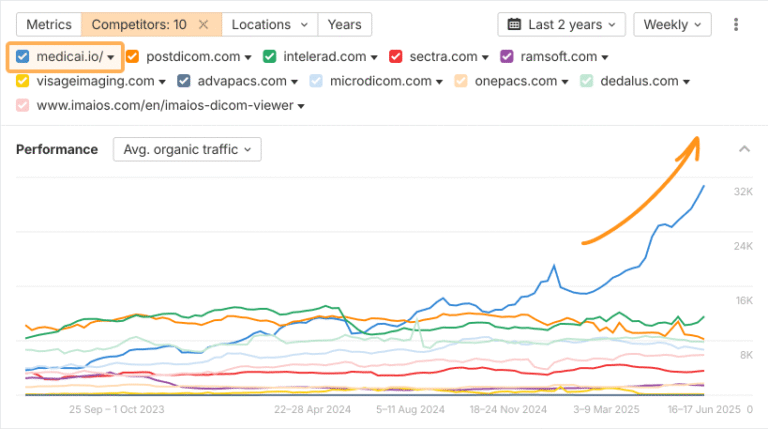
Many marketers hit limits not because they lack ideas, but because they can’t execute or scale them.
Not everyone has the luxury of developers, designers, or analysts who can help turn big ideas into reality. Even if you do, you still need to compete for time and help with the rest of your organisation.
But times have changed. AI tools like ChatGPT make technical learning radically more accessible. It’s now possible to become “technical” even if you’re a humble writer, social media marketer, or brand strategist—because we all have access to a patient, capable technical tutor in the form of a large language model.
I’m a lifelong marketer and non-technical person. I always wanted to learn how to code, but never knew where to start. I bounced off half a dozen coding courses, until I realised that ChatGPT is the perfect teacher and troubleshooter. Now I can call APIs, write simple scripts, and automate parts of my workflow:
If I can do it, you can too.
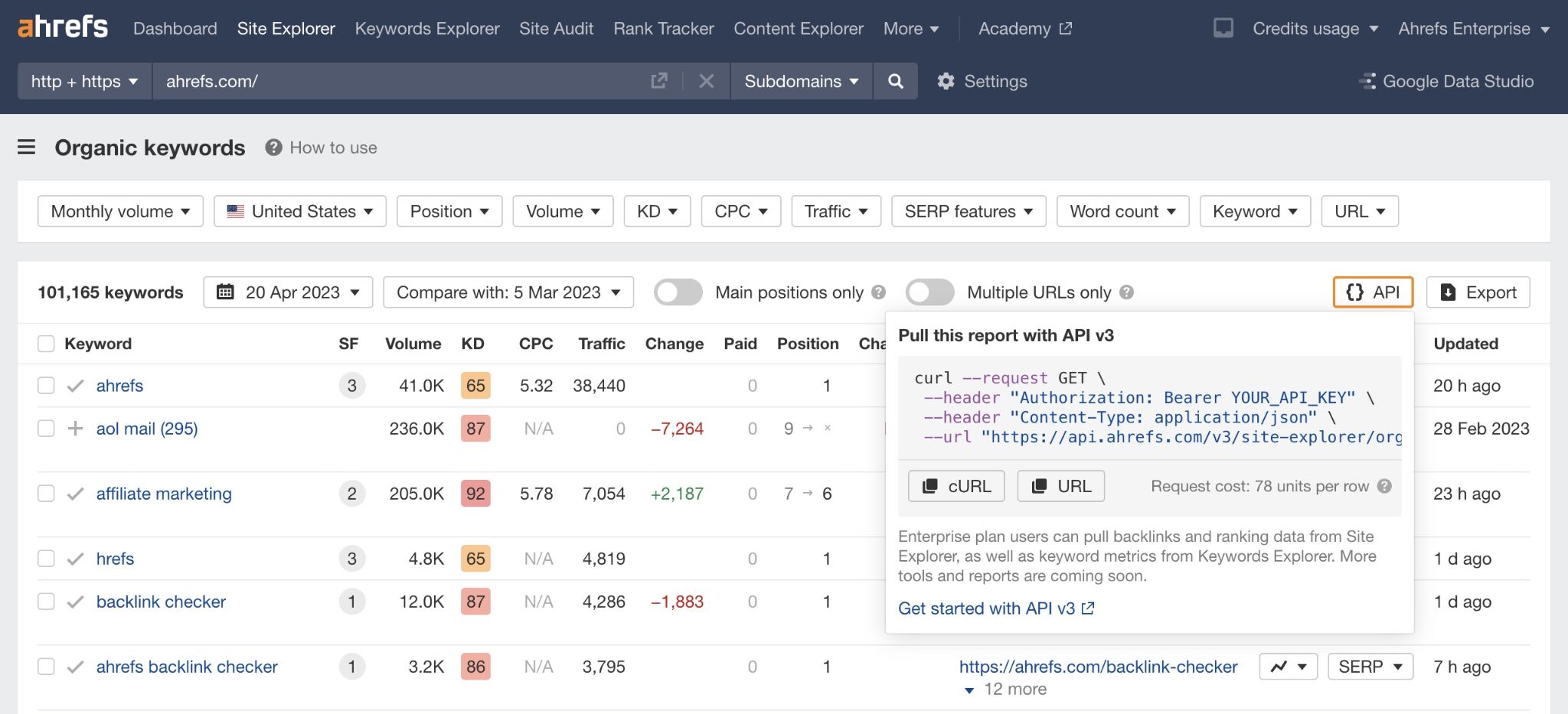
Use the API button in Ahrefs to get a sense for how API requests are structured. If you have access to the Ahrefs API, you can read our documentation and even make free practice requests.
How to get started:
- Learn the basics of HTTP requests, authentication (like API keys), and response parsing (usually JSON). Try Mozilla’s API guide, Postman Learning Center, or RapidAPI’s beginner tutorials.
- Try your first live request using Postman to hit a simple endpoint, like fetching weather or headlines. For extra practice, try calling a public endpoint like the News API to fetch the latest articles on any keyword—useful for content ideation or monitoring industry trends.
- Use ChatGPT to write a Python script using requests, explain each line, and handle API authentication. Paste in API docs—it can help translate them into working code.
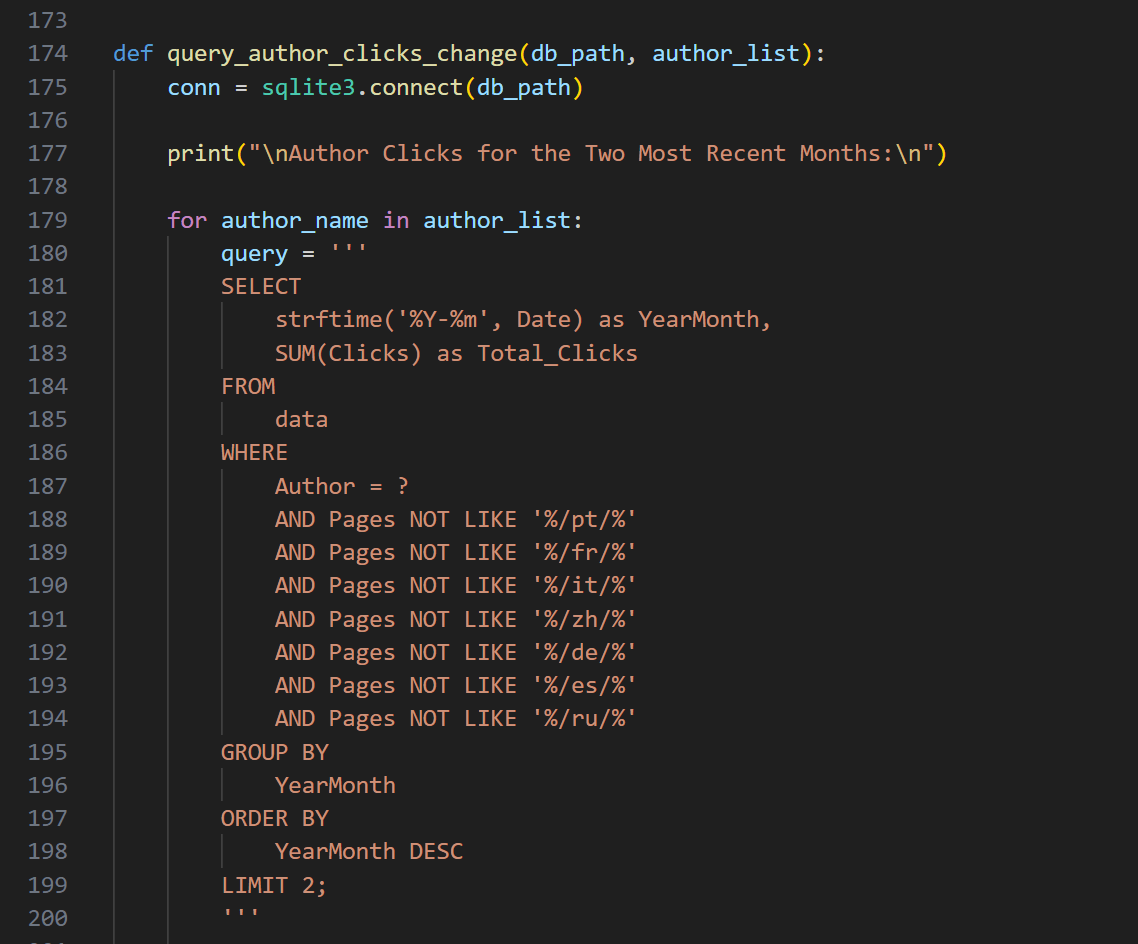
One of many SQL queries I use as part of my blog reporting process. This example selects URLs from our international blogs (/es/ is Spain, and so on).
How to get started:
- Focus on learning SELECT, WHERE, GROUP BY, JOIN, and CASE statements. For an excellent beginner-friendly walkthrough, try Mode’s SQL tutorials or LearnSQL.com’s SQL Basics Track.
- Use free tools like Mode, DB Fiddle, or BigQuery sandbox to write and test your queries.
- Paste your table schema (column names and types from your spreadsheet) into ChatGPT and describe what you want to measure—it will write and explain the full query.
Here’s a super simple Zap that syncs changes in our master content spreadsheet with spreadsheets for each of our international blogs—in this case, notifying the Japanese marketing team that new articles are ready for localization:
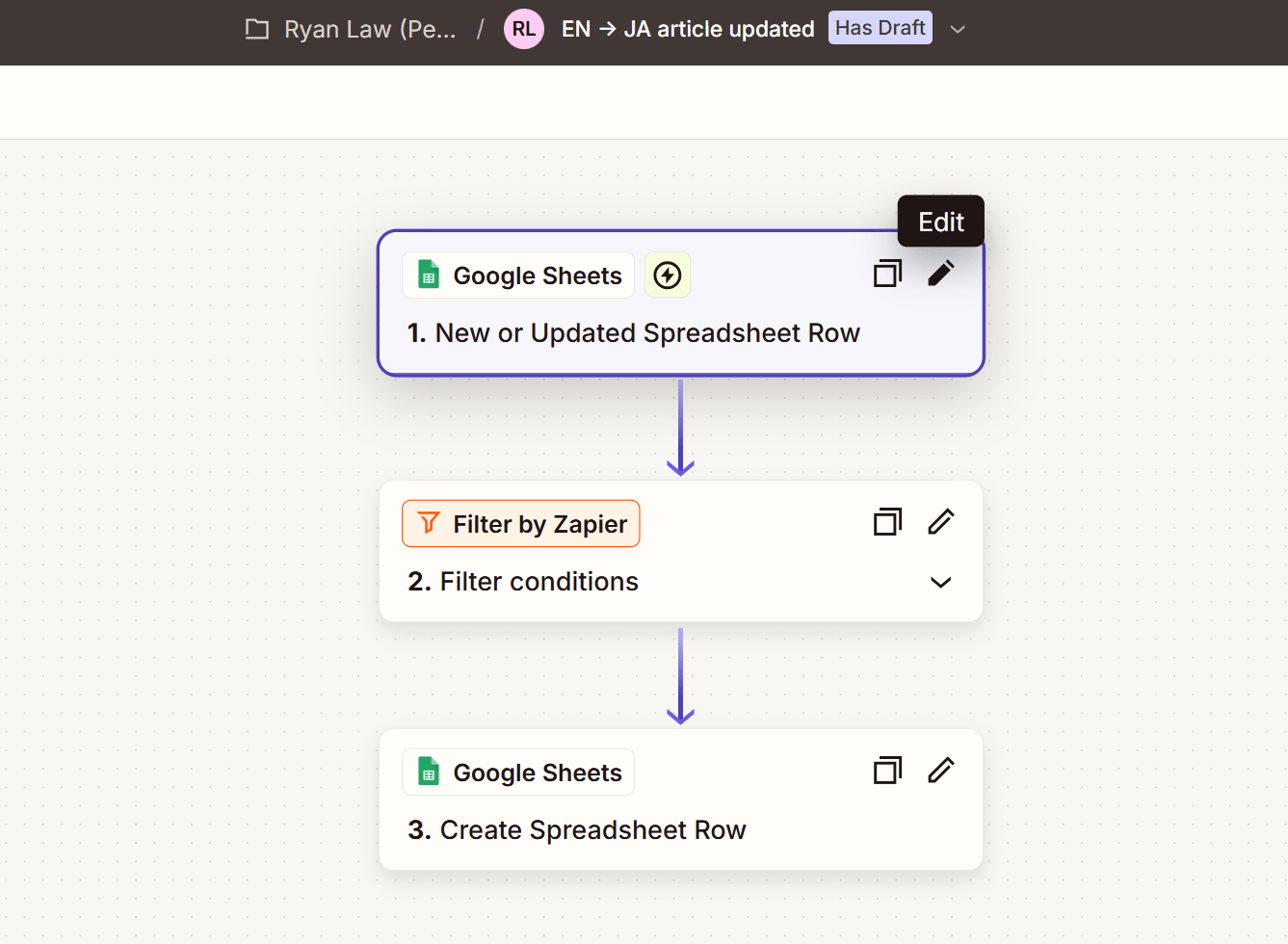
I’ve used Zapier for a hundred different things: managing contact form submissions, triaging leads, triggering editorial workflows for content, syncing data between different spreadsheets, creating notifications in Slack, you name it.
How to get started:
- Start with Zapier’s template library or Make’s visual scenario builder.
- Build a simple multi-step automation that uses filters, conditions, and formatting. Zapier’s getting started guide is helpful if you’re new.
- Ask ChatGPT to map out logic flows or generate JSON webhook payloads for more advanced steps. You can also paste in existing Zap or Make configuration details and ask it to optimize or troubleshoot them.
How to get started:
- Connect Google Sheets, GA4, or Ahrefs directly to Looker Studio. Follow this guide to get started.
- Create visualizations like bar charts, pie charts, and time series with calculated fields.
- Use ChatGPT to help write Looker formulas, blend data sources, or troubleshoot broken charts.
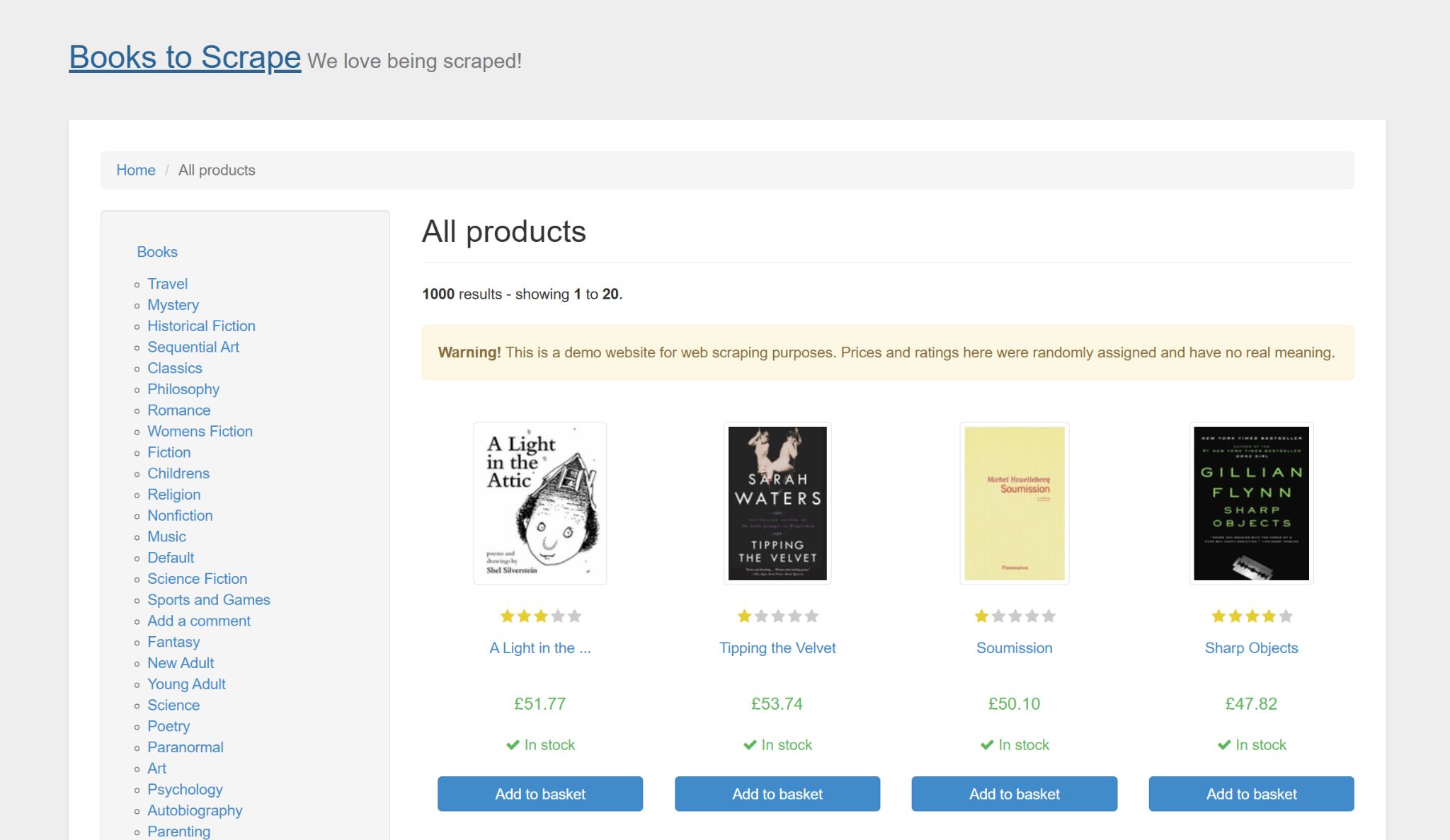
Books to Scrape is a site that actively encourages scraping.
How to get started:
- Learn Python basics and install libraries like BeautifulSoup and Requests.
- Practice scraping your own site to avoid breaking anything. You can also test your skills on sites that explicitly allow scraping—like Books to Scrape, a demo e-commerce site built for this purpose.
- Ask ChatGPT to generate scraper scripts, explain the logic, and handle pagination or user-agent headers.
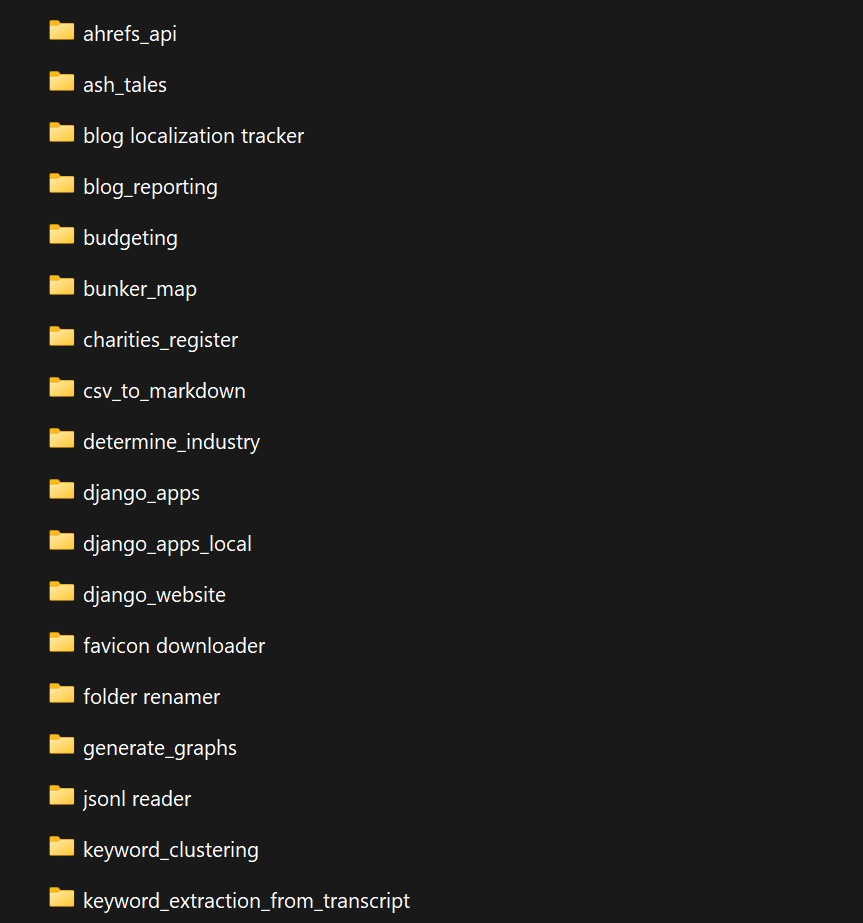
A handful of my amateur Python projects.
How to get started:
- Learn basic syntax (variables, functions, loops). One great place to start is Replit’s free 100 Days of Python, which combines bite-sized lessons with hands-on coding exercises right in your browser—no setup required.
- Use os, csv, and re libraries to automate tasks like renaming, cleaning, and categorizing.
- Ask ChatGPT for Python scripts tailored to your workflow and have it explain the code.
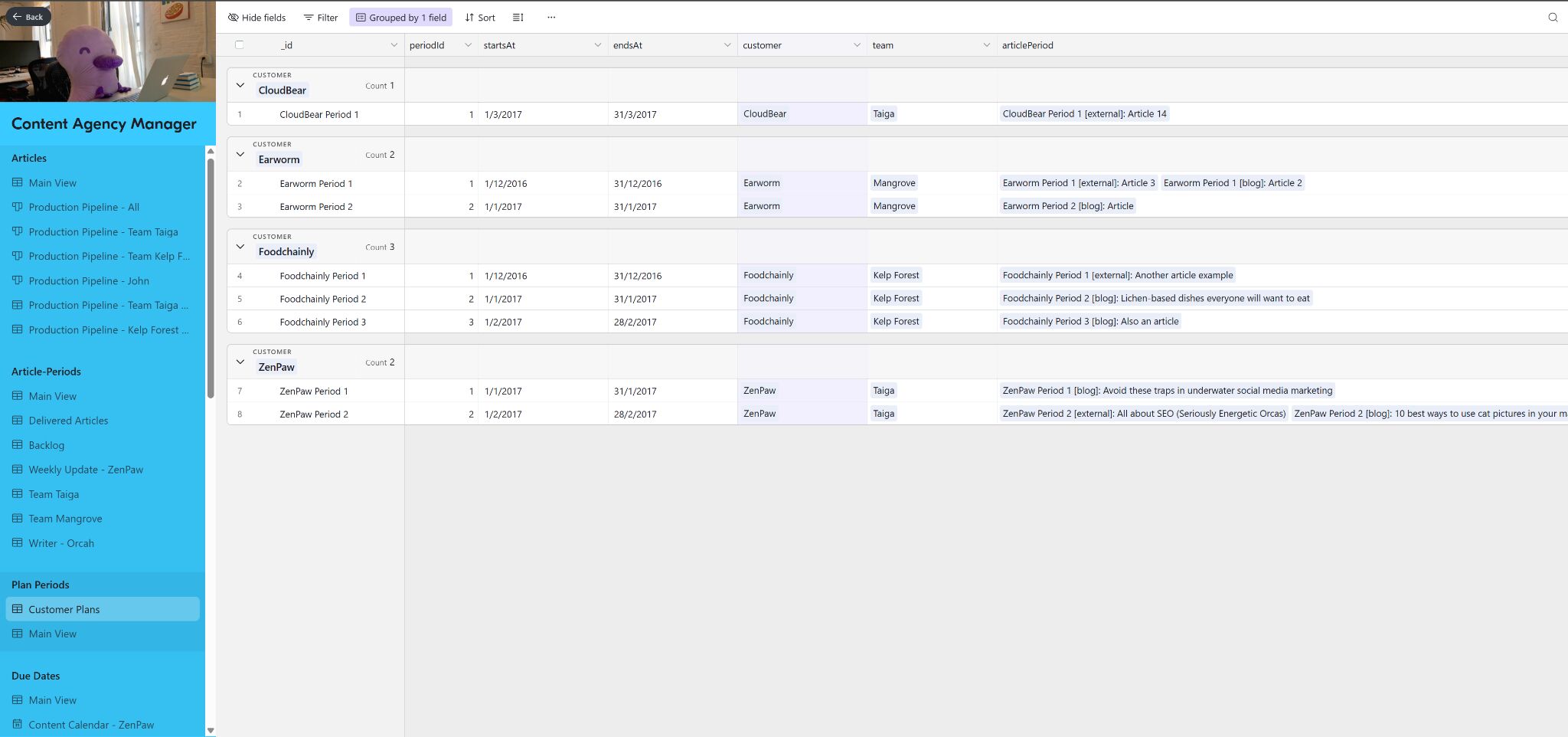
Here’s an example content management system we built for our marketing agency, way back in 2017.
How to get started:
- Create a base in Airtable or table in Notion with fields like status, owner, due date.
- Build views to filter by content type, author, or due date.
- Use ChatGPT to draft formulas, suggest schema improvements, or automate with buttons.
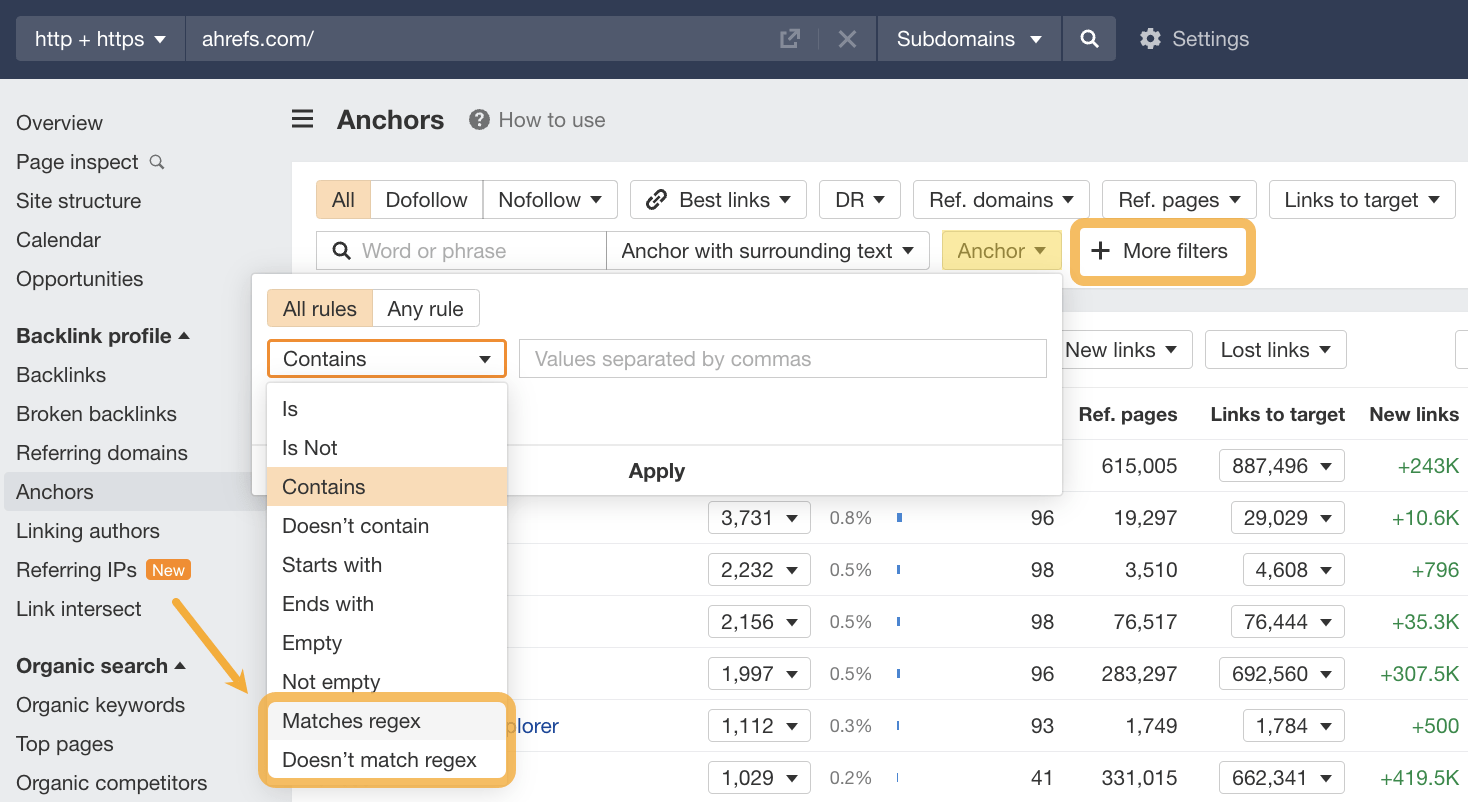
How to get started:
- Try free RegEx testing tools like Regex101 or RegExr, which highlight matches and explain the logic.
- Start small: match email addresses, isolate URL slugs, or clean campaign tags.
- Use ChatGPT to write expressions for you—just describe the pattern you want, and it can generate and explain it line-by-line.
- Learn where Ahrefs accepts regex.
- For hands-on guides, check out Regular Expressions for Beginners and JC Chouinard’s Regex for SEO.
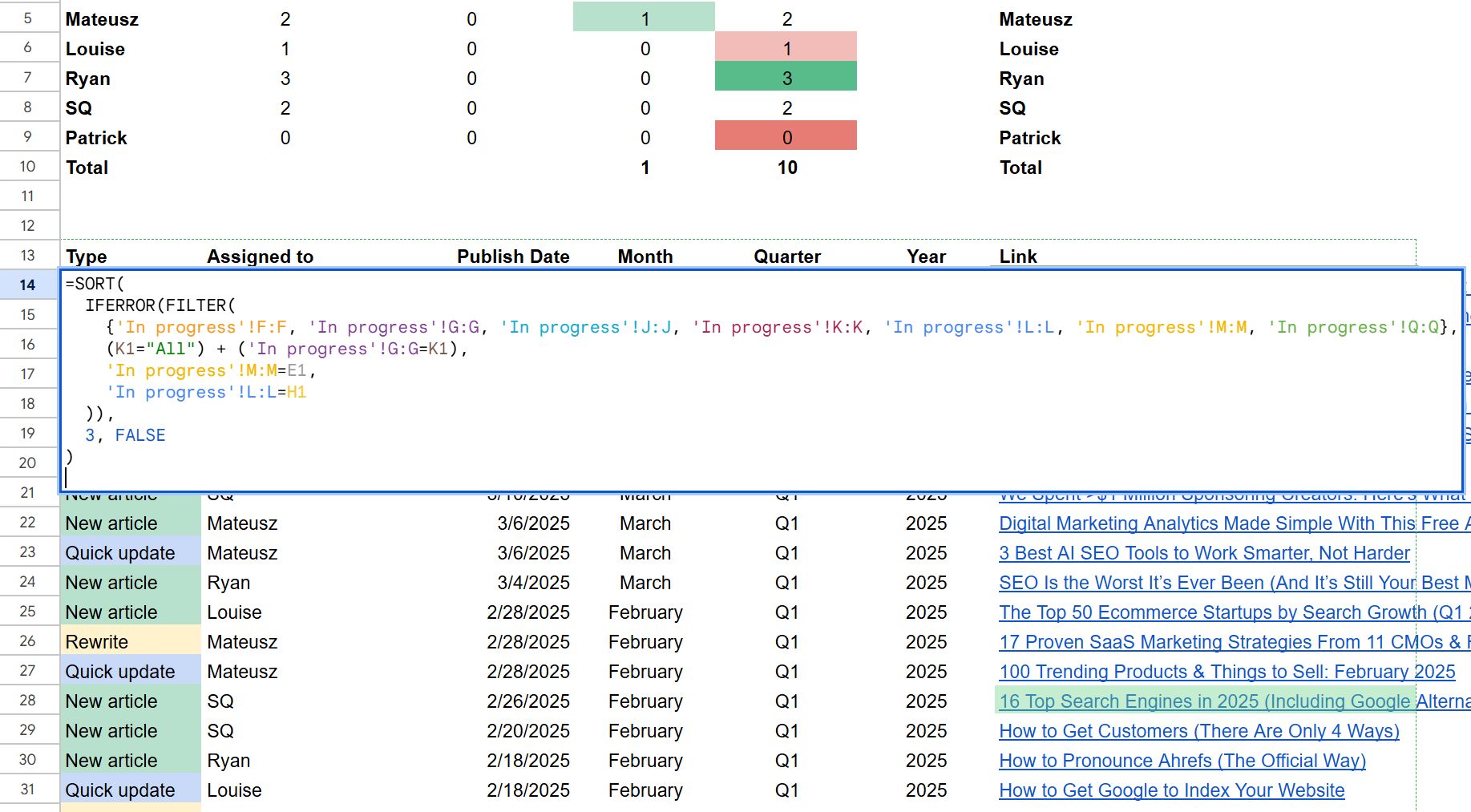
This kind of fluency opens up huge leverage, especially when paired with data from tools like Ahrefs. In fact, we wrote a whole post about it: 29 Google Sheets formulas every SEO should know.
How to get started:
- Learn how ARRAYFORMULA, QUERY, and FILTER can replace manual copy-pasting with dynamic updates.
- Use IMPORTRANGE to combine data from different Sheets.
- Try REGEXMATCH or REGEXREPLACE to clean up messy UTM parameters or flag branded keywords.
- Ask ChatGPT to help explain formulas, debug errors, or optimize slow Sheets.
Similar Posts
How to Monitor and Win Brand Mentions in AI Answers
Brand mentions happen when people talk about your company online without necessarily linking to your website. They’ve always happened on social media, forums, news sites, and blogs. But now they’re happening in AI responses—and these mentions influence how millions of people discover and perceive your brand. Welcome to the new era of brand mention monitoring. ChatGPT,…
SEO vs. GEO: 5 Key Differences Despite the Similarities
In 30 seconds, here’s what you need to know about the differences between SEO and GEO: SEO (Search Engine Optimization): Getting your website to show up in Google searches. Goal: Get people to click your link. GEO (Generative Engine Optimization): Getting AI chatbots like ChatGPT to mention your brand or information. Goal: Get AI to quote and…
How to Track AI Overviews: Mentions, Citations, Click Loss, and the Traffic Google Won’t Show You
How much traffic do AI Overviews drive? How much awareness do they create for your brand? And how can you track that over time? These questions aren’t easy to answer—especially since Google keeps AI Overview data under lock and key. But, if you keep reading, you might just find out… Ahrefs Web Analytics, our GA4 alternative. The source…
The 50 Fastest-Growing Companies (January 2025)
We’ve analyzed 2,500 startups to identify the fastest-growing companies in search over the last year. 2024 was an especially challenging year for startups. Investors exerted extra caution in the face of inflation and rising interest rates, leading to a 26% decline in funding compared to 2023. But it wasn’t all doom and gloom. Sectors like AI and…
10x Traffic by going global with SEO: The Medicai + Ahrefs Success story
Medicai used Ahrefs to accelerate their organic traffic against their competitors using a combination of programmatic and content-based strategies. Get an account for Ahrefs. Everyday once you wake up, open it and check it while you drink your morning coffee. Look into the keywords you rank for, and then what your competition ranks for. Then…